Desk Clamp Mounts: Will It Fit? Renter’s Checklist
Clamp-on monitor arms are a renter’s best friend. No drilling, no anchors, no patching holes when you move out — just clamp it to your desk edge and reclaim your tabletop. But here’s the catch nobody mentions in the product photos: clamps don’t fit every desk.
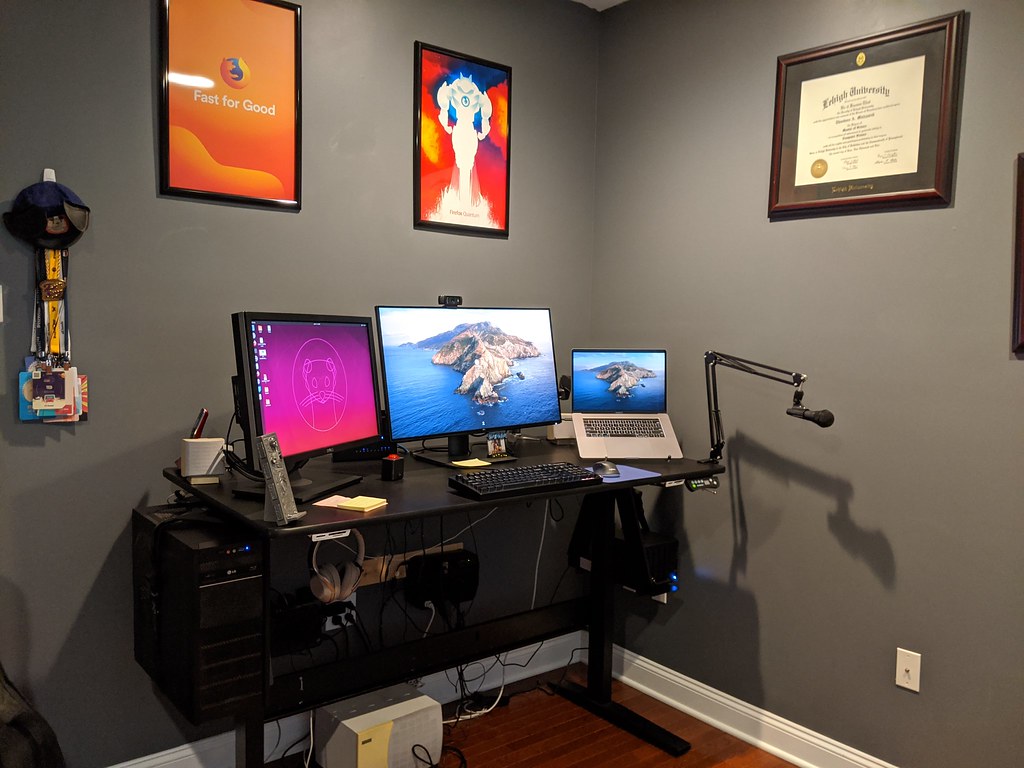
Before you spend money on an arm that ends up back in its box, run through this checklist. It takes about five minutes with a tape measure and will save you a return shipping label — and possibly your security deposit.
The One Measurement That Matters Most: Desk-Edge Thickness
Almost every clamp mount lists a maximum desk thickness it can grip. The most common range you’ll see is up to about 2.4 inches (60 mm), though some go thinner and a few go thicker.
Here’s how to measure correctly:
- Find the spot where you actually want the arm — usually the back edge or a back corner.
- Stand the tape measure vertically against the very edge of the desktop.
- Measure from the top surface straight down to the bottom of that edge.
Sounds simple, but two things trip people up.
The edge isn’t always the same thickness as the rest of the desk. Many modern desks have a thin tabletop with a thicker decorative edge band, or vice versa. The clamp grips the edge, so measure the edge.
Don’t forget the minimum. Clamps need something to bite. A wafer-thin glass or laminate top under about half an inch can be too thin for the clamp pads to grip securely — and risks cracking. Check both the maximum and minimum in the product specs.
If your edge measures comfortably under 2.4 in (60 mm) and over roughly 0.4 in (10 mm), you’re in the safe zone for most mounts.
Five Dealbreakers Hiding on the Back of Your Desk
A thickness number alone won’t tell you if the clamp will seat properly. Flip your attention to the back edge and look for these.
1. A Back Lip or Raised Trim
Some desks — especially gaming desks and budget flat-packs — have a raised lip, cable trough, or trim strip running along the back edge. A clamp’s lower jaw needs a flat underside to press against. If a lip gets in the way, the clamp can’t close flat and won’t tighten safely.
2. A Wall-Hugging Panel or Modesty Board
Desks pushed against a wall sometimes have a vertical back panel (a modesty panel) that drops down from the rear edge. If that panel is flush with the back edge, there’s no overhang for the clamp’s bottom jaw to slide under. You’ll need to either mount on a side edge or look at a different solution.
3. A Drawer or Drawer Rail Underneath
Under-desk drawers, keyboard trays, and their mounting rails eat the clearance a clamp needs below the surface. Reach under the spot you want and confirm there’s open space — clamps typically need a couple of inches of clear depth beneath the top.
4. A Fragile or Hollow Top
Glass tops, thin tempered surfaces, and hollow-core “floating” desks deserve extra caution. Hollow-core tops (common in inexpensive flat-pack furniture) have a honeycomb cardboard interior with only a thin laminate shell — tightening a clamp can dent or crush them. Glass can crack under point pressure. If your desk is either, check that the arm is rated for it before clamping.
5. Not Enough Edge Depth (Front to Back)
The clamp needs to sit fully on the desktop with a flat footprint behind it. If your usable back edge is interrupted by the lip, panel, or hardware above, the jaw won’t have room to seat. Eyeball whether you have a few clear inches of flat surface where the clamp body will rest.
Grommet Mount vs. Clamp Mount: Know the Difference
Many monitor arms ship with both a C-clamp and a grommet mount. They’re not interchangeable in every situation, so it’s worth knowing which one your desk calls for.
Clamp (C-clamp): Grips the desk edge from top and bottom. No drilling, fully removable, renter-friendly. This is the default for most apartment setups.
Grommet: Bolts through a hole in the desktop. Sturdier and frees up the back edge — but it requires a pre-existing grommet hole, or you drilling one. For renters, drilling a hole in furniture (especially a landlord’s furniture) is usually a non-starter, so the clamp is the way to go.
Bottom line: if your desk has no grommet hole and you can’t (or won’t) make one, you’re shopping for a clamp.
Don’t Skip the Weight Limit
A clamp can fit perfectly and still fail if it’s overloaded. Two numbers to match:
- Monitor weight: Check your monitor’s spec sheet (often on the manufacturer’s site or the box). Compare it to the arm’s per-monitor rating.
- Monitor size: Arms also list a maximum screen size, separate from weight. A light-but-large screen can still exceed the size rating.
If you’re mounting two monitors on a dual arm, each side has its own limit. And remember that very light monitors sometimes fall below an arm’s minimum weight, which can make a spring arm drift upward. Both ends of the range matter.
Protect the Desk Surface (and Your Deposit)
This is the renter’s whole reason for going clamp-on in the first place — so don’t undo it with a careless install.
- Use the included pads. Most clamps come with rubber or foam pads for the top and bottom jaws. Keep them on; they distribute pressure and prevent dents.
- Add a buffer on delicate tops. For glass, high-gloss, or soft-wood surfaces, a thin slip of felt or a microfiber cloth between the pad and the desk adds cheap insurance.
- Tighten firmly, not gorilla-tight. Snug enough that the arm doesn’t wobble. Over-cranking is what cracks glass and crushes hollow tops.
- Recheck after a week. Clamps can settle slightly. A quick re-snug prevents slow loosening.
For more no-damage mounting strategies beyond monitor arms, see The Renter’s Guide to Mounting Anything Without Drilling.
Copy-Paste Pre-Purchase Checklist
Run through this before you click buy. If every line gets a yes, you’re good to go.
DESK CLAMP MOUNT — WILL IT FIT? CHECKLIST

EDGE THICKNESS
[ ] Measured the back edge thickness with a tape measure
[ ] Edge is under the arm's max (most fit ~2.4 in / 60 mm)
[ ] Edge is over the arm's minimum (not too thin/flimsy)

BACK-EDGE OBSTRUCTIONS
[ ] No raised lip, trim, or cable trough blocking the jaw
[ ] No wall-hugging / modesty panel flush with the back edge
[ ] No drawer, tray, or rail under the chosen spot
[ ] A few inches of flat, clear surface for the clamp to seat

SURFACE TYPE
[ ] Top is NOT hollow-core (or arm is rated for it)
[ ] Top is NOT glass (or arm is explicitly glass-safe)

MOUNT TYPE
[ ] Clamp included (not grommet-only)
[ ] No drilling required for my situation

WEIGHT & SIZE
[ ] Monitor weight is within the arm's per-arm rating
[ ] Monitor size is within the arm's max screen size
[ ] (Dual arm) Both sides checked individually

SURFACE PROTECTION
[ ] Arm includes jaw pads
[ ] Plan to add felt buffer on glass/gloss/soft tops
Ready to shop with confidence? See our vetted picks in Best No-Drill Monitor Arms & Desk-Clamp Mounts for Renters. monitor arms
Frequently Asked Questions
How do I measure my desk edge for a clamp mount?
Stand a tape measure vertically at the back edge where you want the arm and measure from the top surface to the bottom of that edge. Measure the edge itself, not the middle of the desk, since edge banding can be a different thickness.
What’s the most common maximum desk thickness for clamp mounts?
Many clamp mounts fit desks up to about 2.4 inches (60 mm) thick, but ranges vary by model. Always confirm both the maximum and minimum thickness in the product specs before buying.
Will a clamp mount damage my desk?
With the included jaw pads and reasonable tightening, a clamp shouldn’t damage a solid laminate or wood top. Glass and hollow-core tops are higher risk — add a felt buffer, don’t over-tighten, and confirm the arm is rated for your surface type.
Can I use a clamp mount on a glass desk?
Sometimes, but only if the arm is rated for glass. Glass can crack under concentrated pressure, so use the pads, add a soft buffer, and tighten gently. If the spec sheet doesn’t mention glass, choose a different mount.
My desk has a back panel against the wall — can I still clamp an arm?
Maybe not on the back edge. If a modesty panel sits flush with the rear edge, the clamp’s lower jaw has nothing to grip. Try a side edge with clear space underneath, or consider a freestanding or grommet option instead.
Clamp mount or grommet mount — which should renters choose?
Clamp, almost always. Grommet mounts need a hole drilled through the desktop, which isn’t renter- or landlord-friendly. A C-clamp grips the edge with no drilling and removes cleanly when you move out.