How to Set Up an Ergonomic Desk in a Small Bedroom (Renter-Friendly)
You don’t have a home office. You have a bedroom that’s also a gym, also a dining room some nights, and now — thanks to remote work — your office too. And it’s not big.
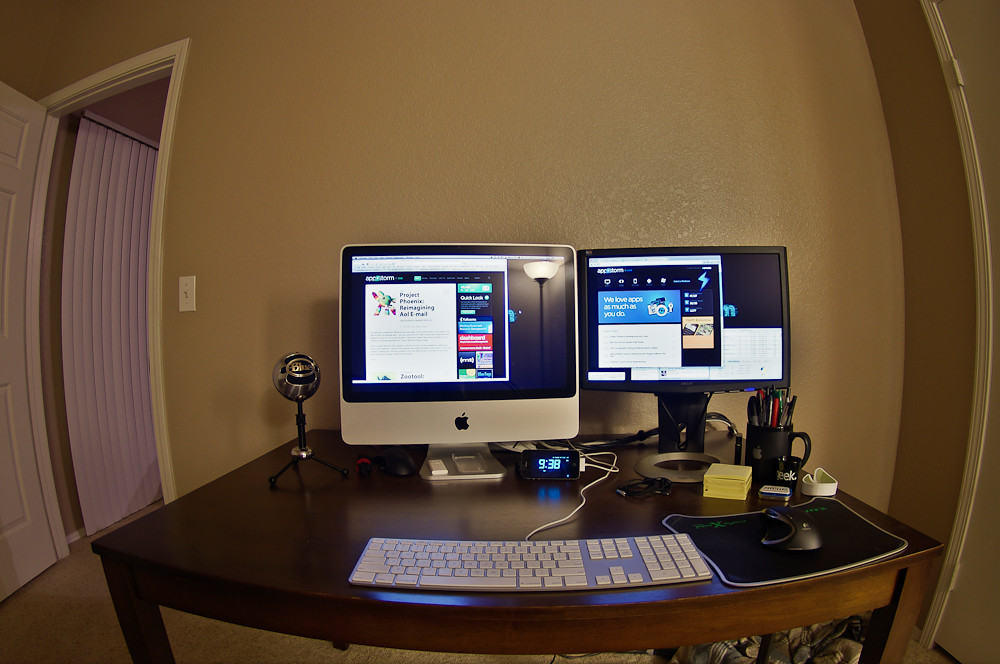
If you’re renting, the problem doubles. You can’t drill a monitor mount into the wall without risking your deposit. You can’t knock down a wall to “open up the space.” And whatever you set up has to coexist with the one thing a bedroom is actually for: sleeping. Nobody rests well staring at a glowing to-do list from their pillow.
The good news: ergonomics isn’t about having a big desk. It’s about hitting a handful of measurable targets — screen at eye level, elbows at ~90°, feet supported, good light — and those targets don’t care how many square feet you have. You can hit every one of them in a 100-square-foot bedroom, and you can do it without a single hole in the wall.
This guide gives you three concrete layouts with real clearances, the ergonomic fundamentals adapted for tight spaces, a dedicated renter section on no-drill mounting and protecting your deposit, and a checklist you can work through tonight.
First, Measure Your Real Constraints
Before you buy anything, grab a tape measure and write down five numbers. Most bad small-space setups happen because someone bought a desk that technically fit the wall but not the room you have to move through.
- Desk footprint: width and depth of the surface itself.
- Chair pull-out depth: you need roughly 20–24 in (50–60 cm) of clear space behind the desk edge to slide a chair out and sit down. Plan for 30 in (76 cm) if you want to push back and stand.
- Walking path: keep a clear lane of at least 18 in (46 cm), ideally 24 in (60 cm), between furniture so you’re not turning sideways to reach your bed.
- Door swing: a standard interior door sweeps a ~30–36 in (76–91 cm) arc. Don’t put a desk leg or chair where the door wants to open.
- Outlet location: where’s the nearest power? A desk stranded across the room from an outlet means a cable run you’ll trip over.
Sketch the room roughly to scale (graph paper or a free app works). It takes ten minutes and saves you a return shipment.
The Ergonomic Targets (and How to Hit Them When Space Is Tight)
These are standard ergonomic guidelines from occupational-health bodies and don’t change with room size. What changes is the gear you use to hit them.
Monitor Height and Distance
The target: the top of your screen at or just below eye level, tilted back slightly (10–20°), with the screen about an arm’s length away — roughly 20–30 in (50–76 cm) from your eyes. You should be able to read it without leaning in or craning down.
The tight-space problem: a monitor on a stand or a stack of books eats desk depth and still usually sits too low. A laptop is worse — the screen is bolted to the keyboard, so you can’t have both at the right height.
The fix:
– A monitor arm clamps to the desk edge and floats the screen in the air, reclaiming the entire footprint a stand would occupy — often 6–10 in (15–25 cm) of precious depth. On a shallow desk, that depth is the difference between sitting at arm’s length and not. no-drill monitor arm
– If you work on a laptop, raise it on a laptop stand until the top of the screen hits eye level, then add an external keyboard and mouse so your hands can drop back to elbow height. This is the single biggest ergonomic upgrade for laptop users and it’s cheap. laptop stand compact wireless keyboard
– A simple riser works if your desk has the depth to spare, but on a narrow desk an arm almost always wins.
Best No-Drill Monitor Arms for Renters
Elbow Angle and Keyboard Height
The target: upper arms relaxed at your sides, elbows bent at about 90°, wrists straight and floating just above the keyboard — not bent up or resting hard on the edge. For most adults that puts the keyboard surface around 27–29 in (68–74 cm) off the floor.
The fix in tight space: if your desk is a touch too high (common with repurposed dining tables), raise your chair and add a footrest rather than hunching. A slim keyboard tray that clamps under the desk can buy you a couple of inches of height adjustment without a deeper desk — useful when the surface itself is fixed.
Seat Height and Support
The target: feet flat on the floor (or a footrest), thighs roughly parallel to the ground, and lower-back support that fits the curve of your spine. Knees at about 90°, with a couple of fingers’ clearance behind them.
The tight-space problem: big ergonomic chairs have a large base and a wide turning radius — death in a small bedroom.
The fix: look for a small-footprint ergonomic chair with a compact base, or an armless model you can tuck fully under the desk to reclaim the floor when you’re done. Armless chairs also let you get closer to a shallow desk, which helps your monitor distance. If a chair won’t fit at all, an active stool plus a standing setup is a legitimate alternative. Best Small-Footprint Ergonomic Chairs
Lighting
The target: light across your work, not behind your screen (which causes glare) or directly behind you (which throws your shadow onto the desk). Aim a task light at your keyboard and notes from the side, and position the desk so a window is to your side, not facing you or directly behind the monitor.
The tight-space fix: floor and desk real estate is scarce, so use a clamp-on task lamp that grips the desk edge or a shelf instead of standing on the surface. Warm, dimmable light matters extra in a bedroom — you want to be able to wind the brightness down as the workday ends so the room can become a bedroom again.
Standing — Yes, Even Here
A compact standing desk (sit-stand) is one of the best small-space moves, because alternating posture matters more when you’re stuck in one small room all day. Compact models exist in widths as narrow as ~40 in (100 cm) and depths of ~24 in (60 cm). When standing, you reclaim the floor under the desk entirely. Best Compact Standing Desks for Small Apartments
Three Layouts That Actually Fit
Pick the one that matches the wall and floor space you measured. Each assumes a small bedroom (roughly 90–130 sq ft) where the bed is non-negotiable.
Layout 1: The Corner Desk
Corners are the most underused real estate in any bedroom. A corner (L-shaped or simple wedge) desk tucks into space you weren’t using for anything else and gives you two short runs of surface instead of one long one.
Approximate dimensions:
– Footprint: about 40 × 40 in (100 × 100 cm) along the two walls, with the working surface wrapping the corner.
– Reserve 24 in (60 cm) of chair pull-out depth at the corner where you sit.
– Keep a 24 in (60 cm) walking lane between the chair’s pulled-out position and the bed.
Why it works for ergonomics: sitting in the corner naturally puts your monitor on the diagonal at a comfortable arm’s length, and the two surfaces let you separate “screen zone” from “notebook/coffee zone” without a deep desk.
Watch out for: corner desks can feel bulky and visually heavy. Choose one with open legs rather than a closed cabinet base so the room still breathes.
Layout 2: Narrow Desk Against the Wall (or at the Foot of the Bed)
When floor space is truly tight, go shallow and long. A writing-desk-style narrow desk — as little as 16–20 in (40–50 cm) deep — runs flat against a wall or sits at the foot of the bed.
Approximate dimensions:
– Surface: 40–48 in (100–122 cm) wide × 16–20 in (40–50 cm) deep.
– At only 16–20 in deep, a monitor stand would put the screen far too close to your face — this layout basically requires a monitor arm so you can push the screen back over the wall and keep arm’s-length distance.
– Foot-of-bed version: leave at least 18–24 in (46–60 cm) between the back of your pulled-out chair and the foot of the bed so you can stand up without climbing onto the mattress.
Why it works: the shallow footprint preserves your walking path, and against a wall it reads as a console table when you’re not working — much less “office invading the bedroom.”
Watch out for: shallow desks tempt you to creep the keyboard to the front edge and rest your wrists hard on it. Keep the keyboard back a few inches and float your wrists.
Layout 3: The Closet or Alcove “Cloffice” Nook
If you have a closet you can spare (or a recessed alcove), you can build a “cloffice” — an office that disappears behind a door at day’s end. This is the holy grail for separating work from sleep.
Approximate dimensions:
– A standard reach-in closet is about 24–30 in (60–76 cm) deep and 48–72 in (122–183 cm) wide — enough for a mounted or freestanding shelf-desk at ~29 in (74 cm) height.
– You still need the chair to pull out into the room: reserve 20–24 in (50–60 cm) of clearance in front of the closet opening, plus room for the bypass or bifold doors to operate (or remove the doors and hang a curtain).
– If the closet is shallow (24 in), use a monitor arm again to keep the screen at distance without losing the back wall to a stand.
Why it works for ergonomics and sleep hygiene: when you’re done, the chair rolls out, the doors (or curtain) close, and the “office” vanishes. Out of sight genuinely helps your brain shift out of work mode — which is the whole point of not working in your bedroom in the first place.
Watch out for: closets are dark. Budget for that clamp-on task lamp, and don’t block the only outlet behind a cabinet.
How to Build a No-Drill Cloffice in a Rental Closet
The Renter Section: No Holes, No Damage, No Lost Deposit
This is where a small-bedroom setup lives or dies. Here’s how to get a real ergonomic rig without giving the landlord a reason to keep your deposit.
No-Drill Mounting Options
You have three honest paths to mounting things without a drill:
- Clamp mounts. The workhorse. A C-clamp monitor arm grips the back edge of your desk — no wall contact at all — and holds a monitor as securely as a bolted mount. Most clamps fit desks up to about 2.4 in (60 mm) thick; measure your desk edge first. Clamp-on lamps, headphone hooks, and small shelves work the same way. no-drill monitor arm
- Freestanding. Floor-standing monitor arms, rolling carts, and freestanding shelf towers add height and storage with zero attachment to the building. They take a little more floor, so they suit the corner layout better than the narrow-desk one.
- Adhesive and tension. Command-style adhesive strips and hooks handle light loads — cable clips, a small whiteboard, LED strip lights — but never a monitor. Tension rods between two walls (or in the closet opening) hold a curtain divider with no hardware at all. Removable adhesive can still pull paint if applied to cheap rental paint or removed carelessly; follow the weight rating and the slow-pull removal instructions exactly.
Protecting Floors and Surfaces
- Put felt pads under every desk and chair leg, and caster cups or a chair mat under a rolling chair — wheels carve tracks into both hardwood and laminate over time.
- An anti-fatigue mat does double duty: it cushions your feet during standing stretches and protects the floor underneath your most-used spot. anti-fatigue mat
- For carpet, a hard chair mat keeps the chair from chewing the pile and makes rolling possible at all.
- Photograph the floor and walls before you set up, so move-out disputes are a non-issue.
Separating Work From Sleep
Sharing a room with your job is the real ergonomic hazard — for your mind, not just your back. Build in physical separation:
- Visual dividers. A freestanding folding screen, an open bookshelf used as a room divider, or a curtain on a tension rod between the desk zone and the bed. Even a low barrier signals “different zone” to your brain.
- Fold-away surfaces. Wall-mounted (clamp- or French-cleat-style, where allowed) drop-leaf desks and fold-down designs let the whole work surface disappear. The cloffice in Layout 3 is the strongest version of this.
- The end-of-day reset. Pick a five-minute shutdown ritual: monitor off, chair tucked under, laptop and notebook into a drawer or basket, divider closed, task lamp dimmed to warm. The point is a clear visual line between “working here” and “sleeping here.” Your sleep quality will thank you.
Small-Bedroom Ergonomic Desk Setup Checklist
Work top to bottom. If you can tick every box, you’ve got a genuinely ergonomic setup that respects both your spine and your deposit.
Measure & plan
– [ ] Room sketched roughly to scale with door swing marked
– [ ] Chair pull-out depth confirmed (20–24 in / 50–60 cm)
– [ ] Walking lane to the bed kept at 18–24 in (46–60 cm)
– [ ] Nearest outlet identified; cable path planned
Screen & input
– [ ] Top of monitor at or just below eye level
– [ ] Screen about an arm’s length away (20–30 in / 50–76 cm)
– [ ] Monitor on an arm (not a stand) if the desk is shallow
– [ ] Laptop users: laptop stand + external keyboard and mouse
Body
– [ ] Elbows at ~90°, wrists straight and floating
– [ ] Feet flat on floor or footrest; knees ~90°
– [ ] Chair has lower-back support and a compact base
– [ ] Chair tucks fully under the desk when not in use
Light & environment
– [ ] Task light across the work, not behind the screen
– [ ] Window to the side, not facing or directly behind the monitor
– [ ] Dimmable/warm lighting for the end-of-day wind-down
Renter-proofing
– [ ] No drilling — clamp, freestanding, or adhesive only
– [ ] Felt pads under all legs; chair mat or anti-fatigue mat down
– [ ] Before photos of floor and walls taken
– [ ] Work/sleep separation in place (divider, fold-away, or reset ritual)
The Bottom Line
A small bedroom doesn’t force you to choose between your back and your space — or between a real workstation and your security deposit. Nail the five measurements, hit the ergonomic targets with space-saving gear (a monitor arm instead of a stand, a laptop stand and external keyboard, a compact chair), pick the layout that fits your walls, and put up a visual line between work and sleep.
Do that, and the room goes back to being a bedroom the moment you close the laptop — which, in a space this small, is the whole game.
Best Compact Standing Desks for Small Apartments
Best Small-Footprint Ergonomic Chairs
Best No-Drill Monitor Arms for Renters